

How to Create a Spin-to-Win Popup in WordPress
Prizes and odds, email before the spin, and how to keep a discount wheel on brand.
 Wahiduz Zaman
Oct 23, 2026
4 min read
Pro
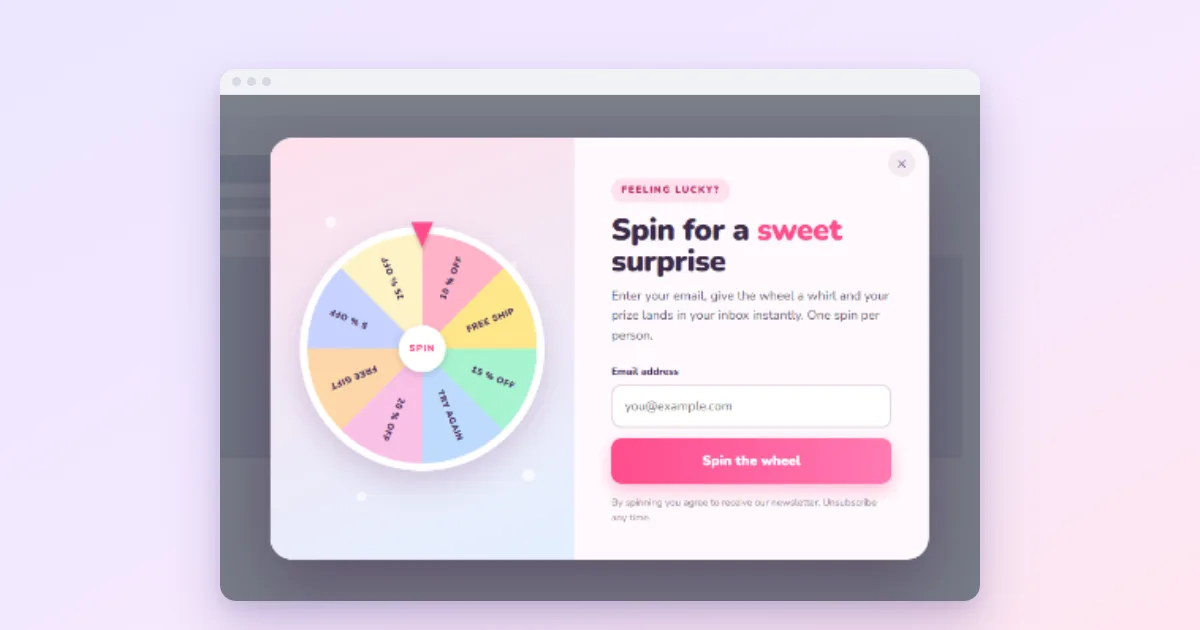
A spin-to-win popup shows a prize wheel; the visitor enters an email and spins for a discount. To build one in WordPress with Wing Popup Pro:
- Create every prize code in your shop first.
- Add a popup of the Spin to Win type and list the prizes with their odds.
- Keep “Ask for an email before spinning” on and allow one spin per visitor.
- Run it for a campaign, not all year.
A prize wheel turns a plain discount into a moment of play, and people are more willing to type their email address for it. In Omnisend’s 2025 popup data, wheel-of-fortune popups converted at 3.5% against 2.0% for popups without one. The cost is that a wheel used carelessly feels like a cheap trick and teaches customers to wait for it. Prizes and odds come first, then the email, then keeping it on brand.
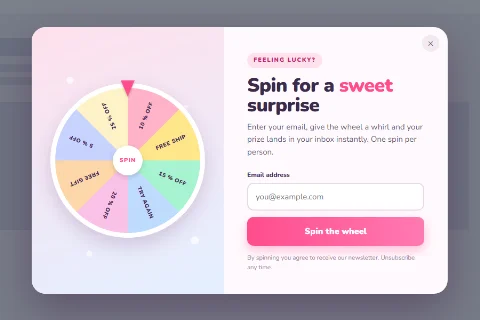
Step 1: Decide the prizes and the odds
Start with what you can afford to give everyone, because the odds mean some people will win the best prize. A good wheel has:
- Common small prizes: free shipping, 5% off.
- A few better ones: 10% or 15% off.
- One rare highlight: 20% off or a free gift.
- A losing slice, maybe: “No luck this time” makes wins feel real, but a wheel where most slices lose feels rigged. Many shops leave it out.
Then create every code in your shop (WooCommerce: Marketing → Coupons) with an expiry and one use per customer.
Step 2: Build the wheel
- Go to Wing Popup → Popups and insert a wheel from the Popup Library (filter: Gamified), or add a popup and set Popup Type to Spin to Win.
- Write a short Heading and Content: “Spin for a welcome gift”.
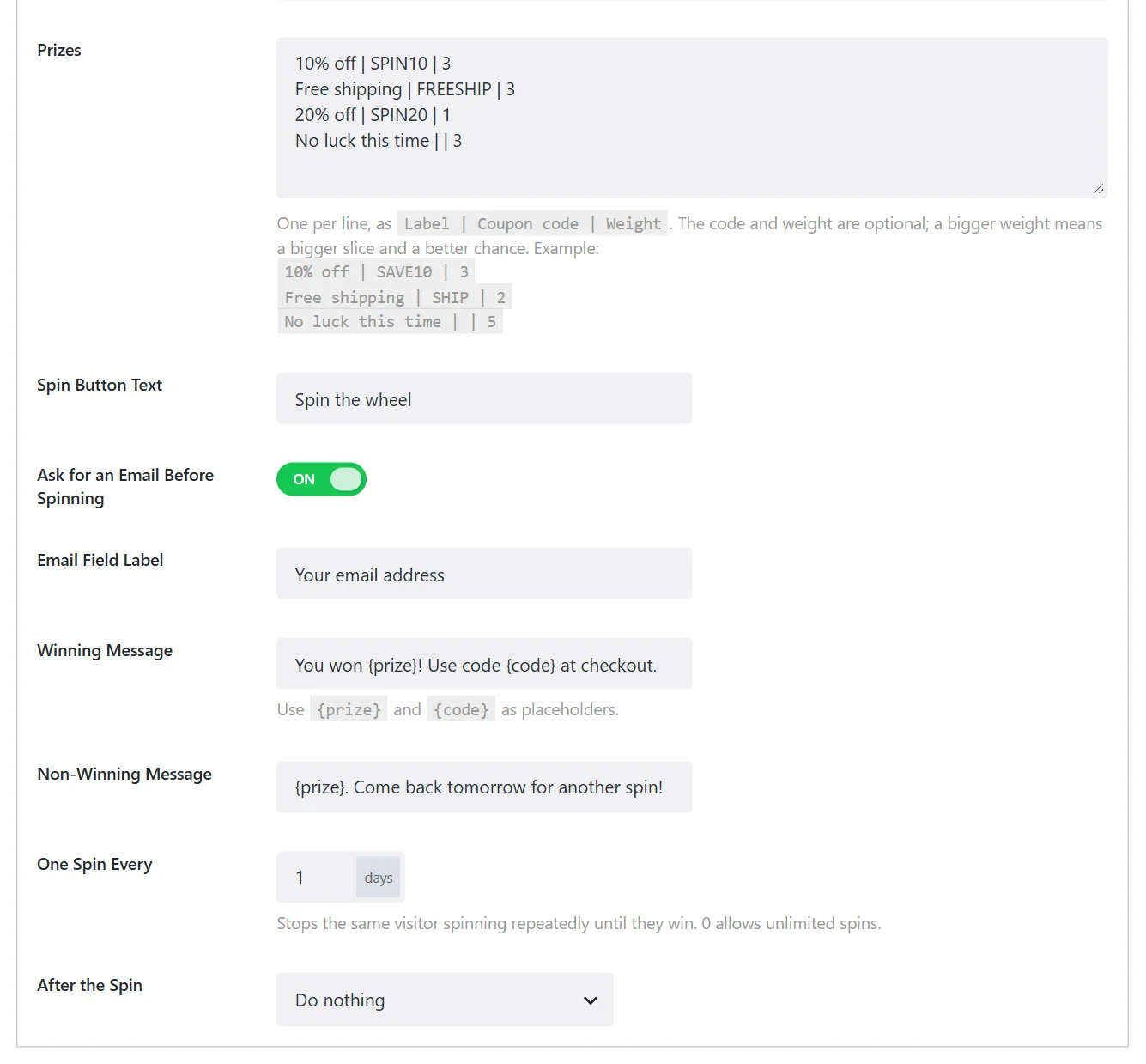
- Enter the Prizes, one per line, as
Label | Coupon code | Weight.
For example:
10% off | SAVE10 | 3
Free shipping | FREESHIP | 4
15% off | SAVE15 | 2
20% off | SAVE20 | 1
The weight sets both the slice size and the chance: here free shipping comes up 4 times in 10, 20% off once in 10. A line without a code is a non-winning slice.
Step 3: Write the result messages
- Winning Message: use the placeholders, for example “You won {prize}! Use code {code} at checkout.”
- Non-Winning Message: keep it warm: “{prize}. Here is something anyway: free shipping on your first order.”
Step 4: Capture the email properly
Ask for an Email Before Spinning is on by default: the wheel spins only after a valid address. We should be upfront about one limit here: the game itself does not send that address to your email service. It announces the result as a JavaScript event (wdpop_spin_result, with the email, prize and code) for your own script or tag manager to pick up.
If the main goal is a bigger mailing list, consider a plain signup popup that reveals a code: it sends every address straight to Mailchimp or another service. Use the wheel when the fun is the point.
Step 5: One spin per visitor, one campaign at a time
- One Spin Every sets the days before the same visitor may spin again. Set it to the length of the campaign; 0 allows unlimited spins, which no shop should want.
- Frequency: show the wheel Once Ever, or with a long cooldown, so it does not chase people around the site.
- Trigger: page load after 15 seconds, or exit intent, both work. Avoid the checkout.
Keep it on brand
A neon casino wheel on a calm, premium store does more harm than good. Pick a wheel design that matches the shop (the library has several styles, from pastel to black and gold), use your own colours, and run the wheel for a season: a holiday, a launch, an anniversary. A rare game feels special; a permanent one feels like a gimmick.
An alternative: Pick a Gift
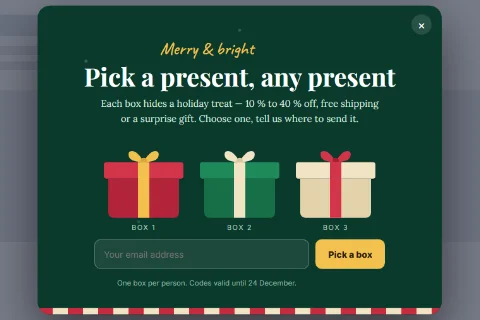
Pro also has Pick a Gift: closed gift boxes, the visitor opens one. It uses the same prize list and settings, and suits holiday campaigns especially well.
Frequently asked questions
Can visitors cheat the wheel?
They can spin again in a private window, which is why your coupon limits matter: one use per customer and an expiry in WooCommerce stop a code from being used twice.
Does the box a visitor picks change the prize?
No. In both games the prize is decided by the weights, as in every game of this kind, so every prize on the list should be one you are happy to give.
Do prize wheels work on mobile?
Yes. The wheel and the email field are touch-friendly; keep the heading short so everything fits on a small screen.