Are Popups Bad for SEO? What Google Actually Penalises
What Google's intrusive interstitial rule really says, which popups are safe, and a two-minute check for your own.
 WingDevs
Oct 16, 2026
4 min read
Free
WingDevs
Oct 16, 2026
4 min read
Free 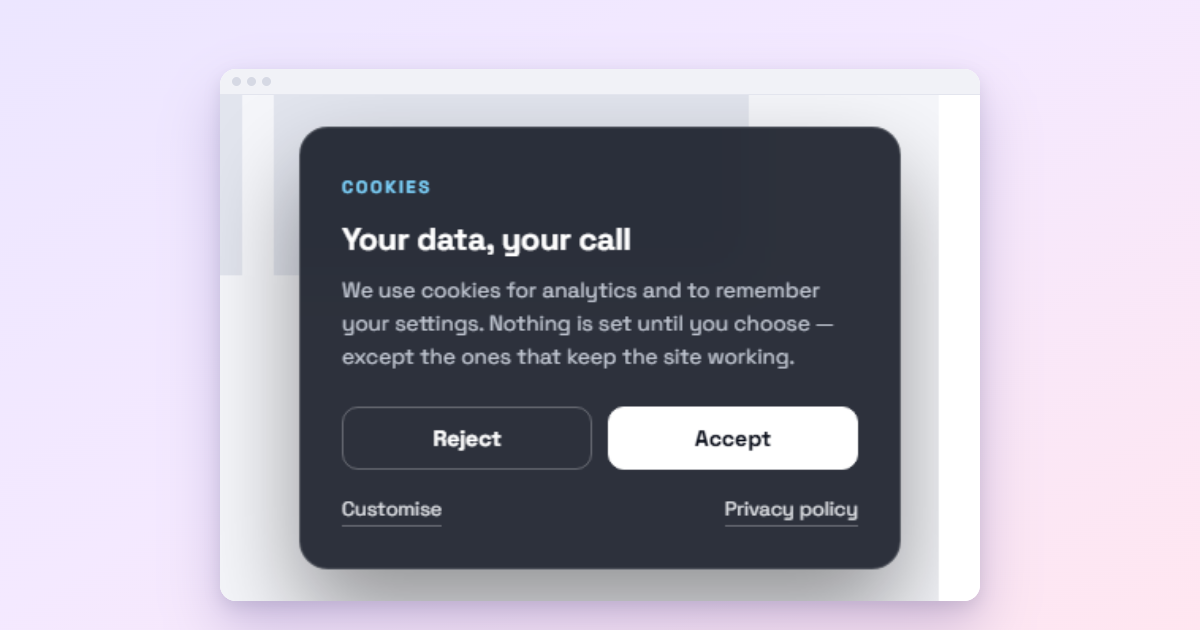
No, not in general. Google’s rule targets intrusive ones: popups that cover the main content on mobile right after someone arrives from search. Delayed popups, popups a visitor opens on purpose, small banners, and legally required notices (cookies, age verification) are fine when used responsibly.
The fear goes back to August 2016, when Google announced that “pages where content is not easily accessible to a user on the transition from the mobile search results may not rank as highly”. Many site owners read that as “Google penalises popups” and removed them all. That is not what Google said, and it is not how its guidance reads today. We make a popup plugin, so we have an obvious interest in this question; that is why everything below quotes Google’s own pages rather than our opinion.
What Google actually said
In its 2016 announcement, Google listed three techniques that make content less accessible:
- “Showing a popup that covers the main content, either immediately after the user navigates to a page from the search results, or while they are looking through the page.”
- “Displaying a standalone interstitial that the user has to dismiss before accessing the main content.”
- “Using a layout where the above-the-fold portion of the page appears similar to a standalone interstitial, but the original content has been inlined underneath the fold.”
And three that, “used responsibly, would not be affected”:
- “Interstitials that appear to be in response to a legal obligation, such as for cookie usage or for age verification.”
- “Login dialogs on sites where content is not publicly indexable.”
- “Banners that use a reasonable amount of screen space and are easily dismissible.”
Google also put the signal in proportion: it “is just one of hundreds of signals that are used in ranking”, and a page with great, relevant content may still rank highly.
What Google’s guidance says today
Google’s current documentation, Avoid intrusive interstitials and dialogs, gives practical advice rather than penalties:
- Use banners instead of full-page interstitials, “that take up only a small fraction of the screen”.
- Use common libraries: for newsletter prompts it even suggests WordPress plugins, because plugin developers “can deploy improvements at scale”.
- Avoid two mistakes: “Don’t obscure the entire page with interstitials” and “Don’t redirect the user to a separate page for their consent or input.”
- Mandatory interstitials such as age gates are exempt, with a recommendation to overlay them on the content rather than redirect, so Google can still index the page.
Popups that are safe
| Popup | Why it is fine |
|---|---|
| Opens on a click | The visitor asked for it |
| Opens after a delay, once | The content was accessible on arrival |
| Exit intent on desktop | It appears as the visitor leaves, not as they arrive |
| Slim bar or small corner panel | “A reasonable amount of screen space”, easily dismissed |
| Inline signup inside an article | Nothing is covered at all |
| Cookie notice, age gate | A legal obligation, explicitly exempt |
Popups that are risky
- A full-screen popup on mobile the moment the page loads, for a signup or an ad. This is the exact case Google describes.
- A popup that is hard to close on a phone: a tiny close button, no tap outside, no way out but the form.
- A content locker on your main traffic pages. Gate a few premium pages if you must (see content lockers), not the articles that bring visitors from search.
- Redirecting visitors to a consent or signup page before they can see the content.
A two-minute check for your own popups
- Search Google on your phone for one of your pages and tap the result.
- For the first few seconds, can you read the content you came for?
- When the popup appears, can you close it with one comfortable tap?
- Does it come back on the next page? It should not.
If the answer to the first two is yes and the last is no, your popups are fine.
Setting popups up the safe way in WordPress
In Wing Popup, the settings that matter are all in the free plugin:
- Trigger Events: a page-load delay (6 to 15 seconds for signups) or a click trigger, instead of an instant popup.
- Popup Settings: a Small or Medium width; avoid Make Popup Fullscreen for promotional popups on phones.
- Display mode: an Inline popup sits inside the page and covers nothing; Pro’s floating bar and slide-in panel are the “banner” Google recommends.
- Frequency: a cooldown and a long pause after dismissal. See how often a popup should show.
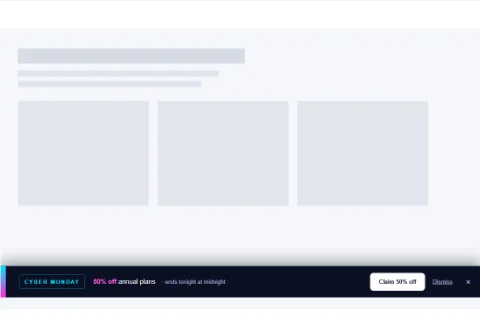
Wing Popup Pro adds device targeting, so the same offer can be a popup on desktop and a slim bar on phones. More in mobile popups.
Does a popup stop Google from reading the page?
Not when it is a normal overlay. Google’s own announcement notes that with interstitials “the underlying content is present on the page and available to be indexed”. In Wing Popup, for example, popups are printed at the very end of the page’s HTML, after your article, so the content still comes first in the code Google reads. The concern is the visitor’s experience, not indexing. That changes only when a site redirects to a separate page for consent or input, which Google explicitly advises against.
Frequently asked questions
Is there a Google penalty for popups?
Not a manual penalty. Intrusive mobile interstitials are one ranking signal among hundreds; a page with intrusive popups “may not rank as highly”. Well-timed popups, banners and click popups are not affected.
Do popups on desktop matter for SEO?
Google’s announcement was about the transition from mobile search results. On desktop, the reasons to keep popups polite are your visitors, not a ranking signal.
Do popups increase bounce rate and hurt rankings that way?
A badly timed popup can make people leave, which is a business problem first. Google’s guidance itself points to the fix: let people reach the content, then ask.
We make Wing Popup and Wing Suite and test every step in these guides on a real WordPress site before publishing.