

How to Reduce Cart Abandonment With Exit Popups
Why shoppers leave full carts and how cart popups bring some of them back without training discount hunters.
 Wahiduz Zaman
Oct 21, 2026
4 min read
Pro
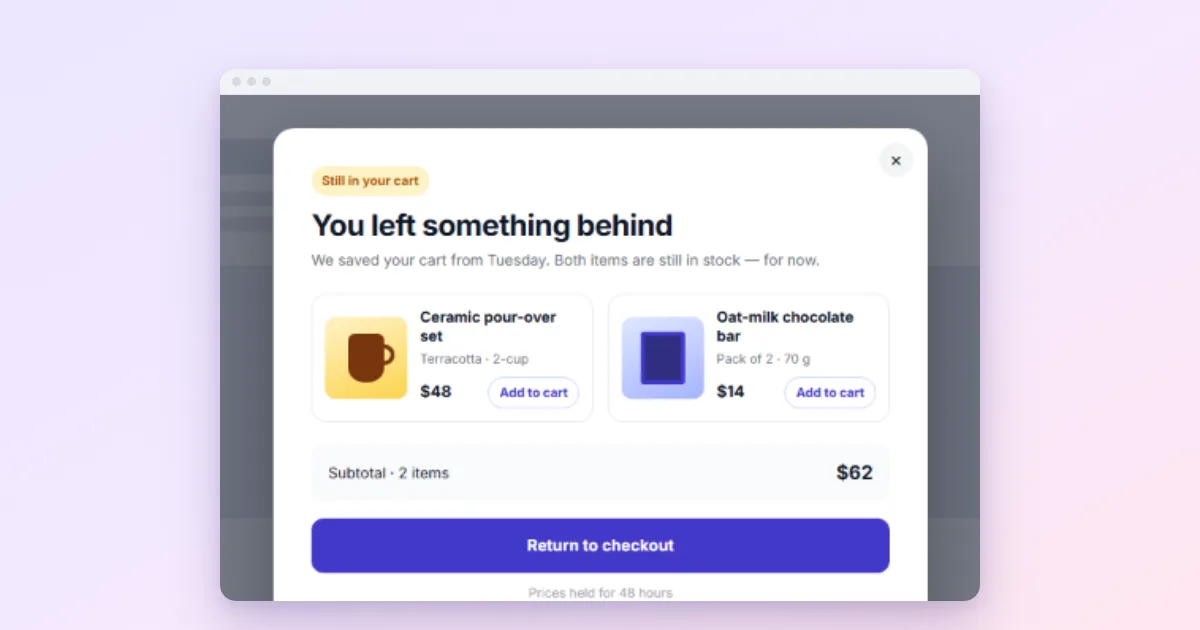
An exit popup can bring back some shoppers who are about to leave a full cart, if it answers the reason they are leaving. Show it only to visitors with a cart, offer reassurance or a way to save the cart before reaching for a discount, and limit any discount so it cannot be farmed. In WooCommerce with Wing Popup Pro:
- Create the popup: a save-my-cart form, or a small code for finishing today.
- Trigger it with Cart Abandonment (exit intent for visitors with a cart).
- Set a minimum cart total and a long cooldown.
Most online stores lose the majority of their carts before checkout. The Baymard Institute, which averages 50 studies, puts the documented online cart abandonment rate at 70.22%. Many of those shoppers were never going to buy today: they were comparing, saving for later, or checking the delivery cost. But some leave for reasons a well-timed message can answer.
Why shoppers leave full carts
Baymard’s checkout research lists the usual reasons. The biggest, named by 40% of US shoppers who abandoned during checkout, is extra costs that appear late (shipping, taxes, fees). Others include a delivery that is too slow, not trusting the site with card details, being asked to create an account, and a checkout that is too long or complicated.
Notice how few of these a discount fixes. A popup that says “Wait! 10% off!” to someone worried about returns answers the wrong question. Match the message to the likely reason instead:
- Shipping cost: “Free shipping on orders over 50, you are 8 away.”
- Trust: “Secure checkout, free 30-day returns, real support.”
- Not ready yet: “Save your cart and we will email it to you.”
- Price comparison: a small, time-limited code, with limits.
The trigger: exit intent, only for carts
Wing Popup Pro adds three WooCommerce triggers on a popup’s Trigger Events tab. Two matter here:
- Cart Abandonment: exit intent limited to visitors with something in the cart. Set Minimum Cart Total so it only fires for carts worth saving, and Exit Intent Sensitivity for how early it reacts (20 pixels from the top by default).
- Checkout Exit: the same, but only on the checkout page.
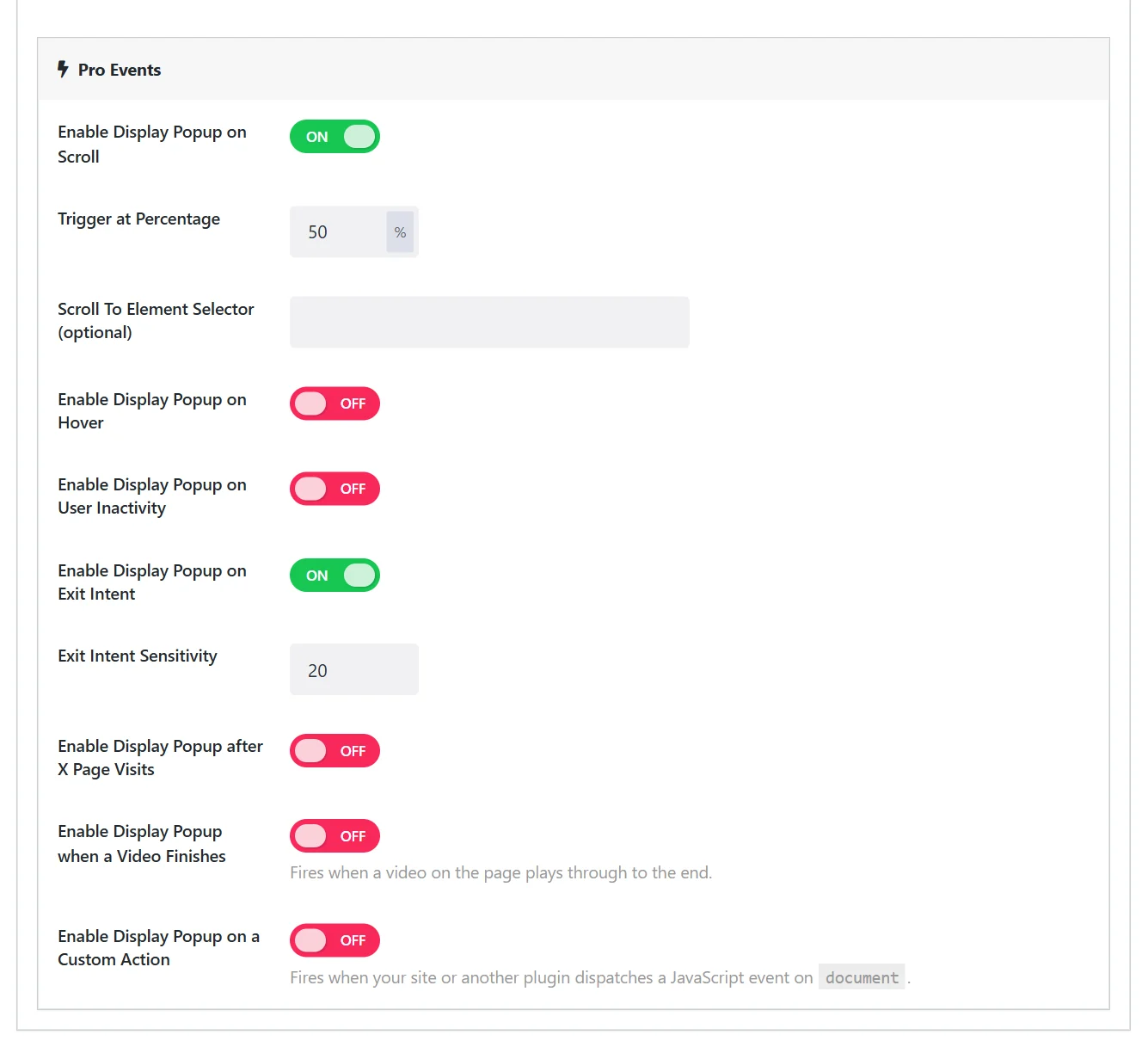
Exit intent follows the mouse moving towards the browser’s tabs, so it works on desktops and laptops. Phones have no pointer to follow; for mobile shoppers, a gentle reminder on the cart page itself works better than chasing them as they leave.
The cart differs for every shopper, while your pages may be cached. Wing Popup reads the cart in the browser after the page loads, so these triggers keep working behind a page cache.
Option 1: Offer to save the cart
The friendliest cart popup gives the shopper a way to come back, and gives you the email address to remind them. The Popup Library has a preset for exactly this, Save your cart, fullscreen split.
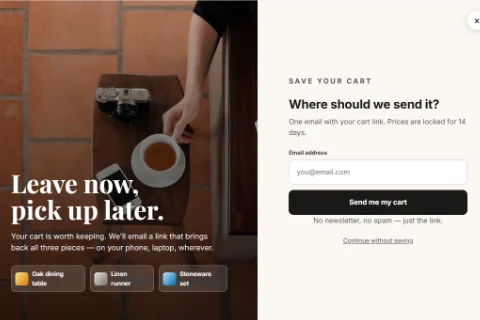
- Create a subscribe form with the Consent Checkbox ticked.
- Show it in a Form popup with the Cart Abandonment trigger.
- Switch on Pro’s Cart Abandonment Emails under Settings → Analytics.
Wing Popup Pro then sends one reminder per cart, by default four hours after the cart last changed, and only to people who gave their address and ticked the consent box (or to signed-in customers). No sequences, no emails to anonymous carts. If the customer completes the order first, nothing is sent, whether your store uses the classic checkout or the newer block checkout.
The single email is a choice we made on purpose, not a missing feature. A shopper who left a cart has not agreed to a campaign; one helpful reminder is service, a sequence of three starts to feel like being followed. If you want sequences, your email service’s automations are the right tool, and the consented address from the popup can feed them.
Option 2: A small code to finish today
When price is the issue, a modest code can tip the decision. Do it carefully:
- Create the coupon in WooCommerce (Marketing → Coupons) with an expiry date, one use per customer and a minimum spend.
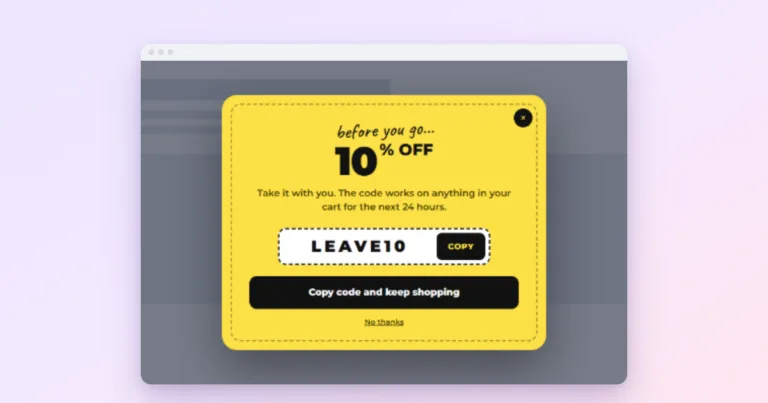
- Keep it small. Free shipping or 5 to 10% is usually enough.
- Do not show it every time. A shopper who learns that leaving produces a discount will leave every time. Use a long cooldown (14 days or more) under Frequency & Suppression.
Use Pro’s Coupon / Discount Code type for a one-click copy button. See discount coupon popups.
Option 3: Reassurance, no discount
On the checkout page especially, the best exit message is often a calm one: delivery date, returns, payment security, a way to ask a question. Keep the popup small and make the main button “Back to my order”. For a question, a link that opens your contact form popup can save the sale.
Show it to the right carts
Pro’s Store rules under Display Options narrow it further: cart total between two amounts, specific products or categories in the cart, and whether the customer has ordered before. A returning customer probably does not need a first-order discount.
Measure it
Pro’s analytics shows views, clicks and conversions per popup. Watch two numbers: how many cart popups lead to a completed order, and whether your discount use grows faster than your sales. If discounts climb while orders stay flat, the popup is paying people who would have bought anyway.
Frequently asked questions
Do I need Wing Popup Pro for this?
Yes. The WooCommerce triggers, store targeting, coupon type and cart abandonment emails are Pro features. The free plugin can still show a save-your-cart signup on the cart page with a click or page-load trigger.
Will a cart popup annoy shoppers?
One relevant message, once, rarely does. Annoyance comes from repetition and from big discounts popping up during payment. Long cooldowns and calm wording prevent both.
Is the reminder email GDPR-friendly?
It is sent only to signed-in customers or to visitors who entered their address and ticked the consent box, and only once per cart. Check your own legal situation for anything beyond that.