

How to Add an Age Verification Popup in WordPress
An age gate for wine, vape, CBD or game sites: what it can and cannot prove, and the setup.
 Wahiduz Zaman
Oct 24, 2026
4 min read
Pro
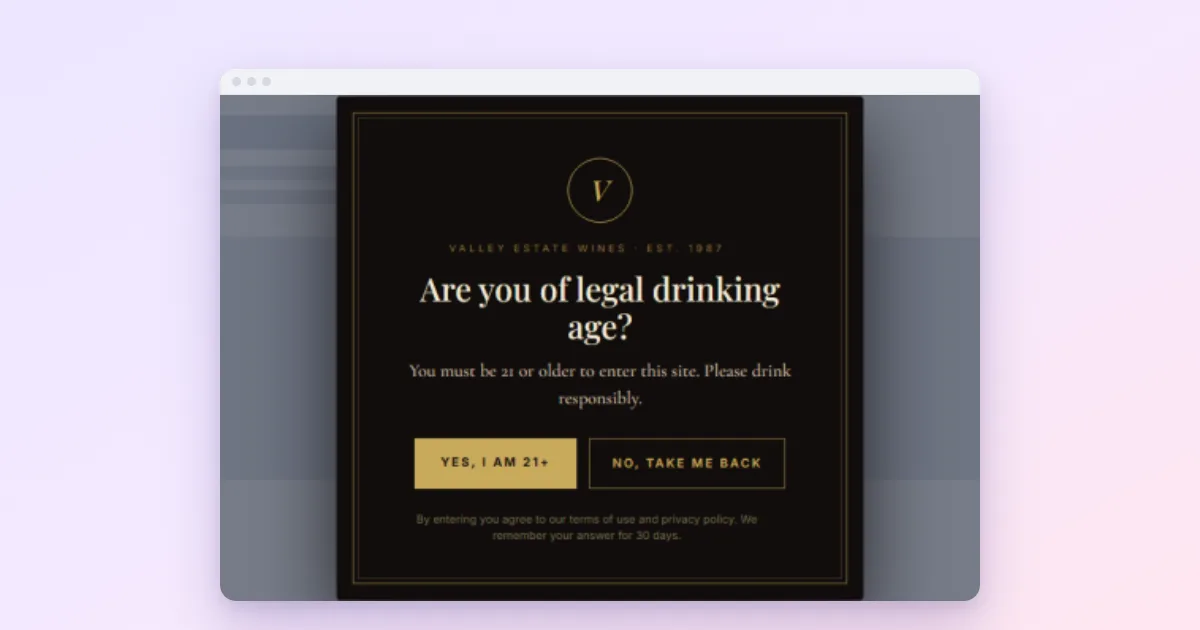
An age gate is a popup that asks visitors to confirm their age before they enter, and sends away those who say no. In WordPress with Wing Popup Pro:
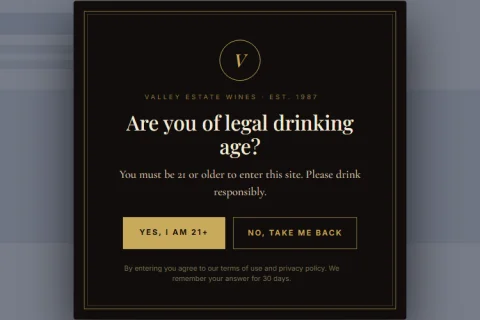
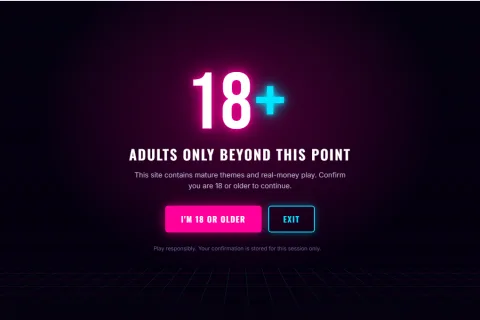
- Insert a ready-made age gate from the Popup Library (winery, CBD or arcade style).
- Set the confirm and deny buttons and how long a confirmation is remembered.
- Switch on Force Interaction and hide the close button, so it must be answered.
- Show it on every page, at once, with frequency set to Always.
Sites that sell or promote wine, beer, spirits, vapes, CBD, gambling or mature games often need an age prompt before visitors see anything. Before the setup, it is worth being clear about what such a prompt can and cannot do.
What an age gate can and cannot prove
An age gate asks; it does not verify. Anyone can click “Yes, I am 21”. It meets the common expectation that a site prompts for age before showing age-restricted content, and it keeps casual younger visitors out, but it is not identity verification. If your country or your payment provider requires proof of age at purchase, you need a dedicated age verification service in the checkout as well. Check what applies to your products and markets.
Step 1: Insert an age gate
- Go to Wing Popup → Popups → Popup Library and filter by category Compliance, or search for “age”.
- Insert the winery, CBD or arcade gate. These three come with Force Interaction and the hidden close button already set.
- Or click Add New Popup and set Popup Type to Age Verification.
Write the question as the Heading (“Are you of legal drinking age?”) and any legal note in the Content (“You must be 21 or older to enter this site. Please drink responsibly.”).
Step 2: Set the two buttons
- Confirm Button Text: “Yes, I am 21+”.
- When Confirmed: Remember the choice and close.
- Do Not Show Again For: days the confirmation is remembered; 365 by default. 0 asks again on every visit.
- Deny Button Text: “No, take me back”.
- When Denied: Send them to a URL, with a neutral Destination URL.
Step 3: Make it a gate that must be answered
A normal popup closes with its close button, a tap outside or the Escape key. An age gate should only close through its own buttons:
- On the Popup Settings tab switch on Force Interaction. Clicks outside and Escape are ignored.
- On the Popup Styles tab open Close Button and switch on Hide Close Button.
Both settings are part of the free plugin, so any popup can be made into a gate this way. They are separate switches on purpose. Force Interaction alone still leaves a close button, which is right for a popup you want answered but not forced, such as a survey. An age gate needs both.
Step 4: Show it everywhere, at once
- Where: Everywhere, so every entry page is covered, including blog posts visitors find through search.
- When: Page Load with a delay of 0 seconds.
- How often: Always. The gate remembers a confirmation by itself and stays away for the days you set.
- Look: Make Popup Fullscreen → Always with a dark overlay hides the page completely.
Age gates and SEO
Google explicitly treats interstitials that respond to a legal obligation, “such as for cookie usage or for age verification”, as acceptable when used responsibly. Its current guidance for mandatory interstitials adds two recommendations:
- Overlay the content, so Google can still index the page. A popup age gate does exactly that: the page is in the HTML underneath.
- Do not redirect every URL to a separate age page; that would remove all but one page from search results.
Read more in are popups bad for SEO.
Design tips
- Look like your brand. The age gate is the first thing every visitor sees; a well-designed one sets the tone, a generic grey box undermines it.
- Keep the deny option polite. “No, take me back” and a neutral destination are better than a scolding message.
- Mention the rules once. A short line (“By entering you agree to our terms”) is enough; long legal text belongs on its own page.
Frequently asked questions
Is the age verification popup free?
The Age Verification type and the three ready-made gates are Wing Popup Pro. The free plugin’s Force Interaction and Hide Close Button settings can make any free popup harder to dismiss.
Will visitors have to confirm on every page?
No. A confirmation is remembered in the visitor’s browser for the number of days you set, 365 by default.
Is an age gate legally enough?
It covers the common requirement to prompt for age. Some products and countries require real age verification at purchase; check what applies to you.