


Animations Pro
Choose how a popup enters and leaves the screen, and how long the movement takes.
An animation is the movement a popup makes when it appears and when it closes. Set it on the Popup Styles tab, in the Animation panel.
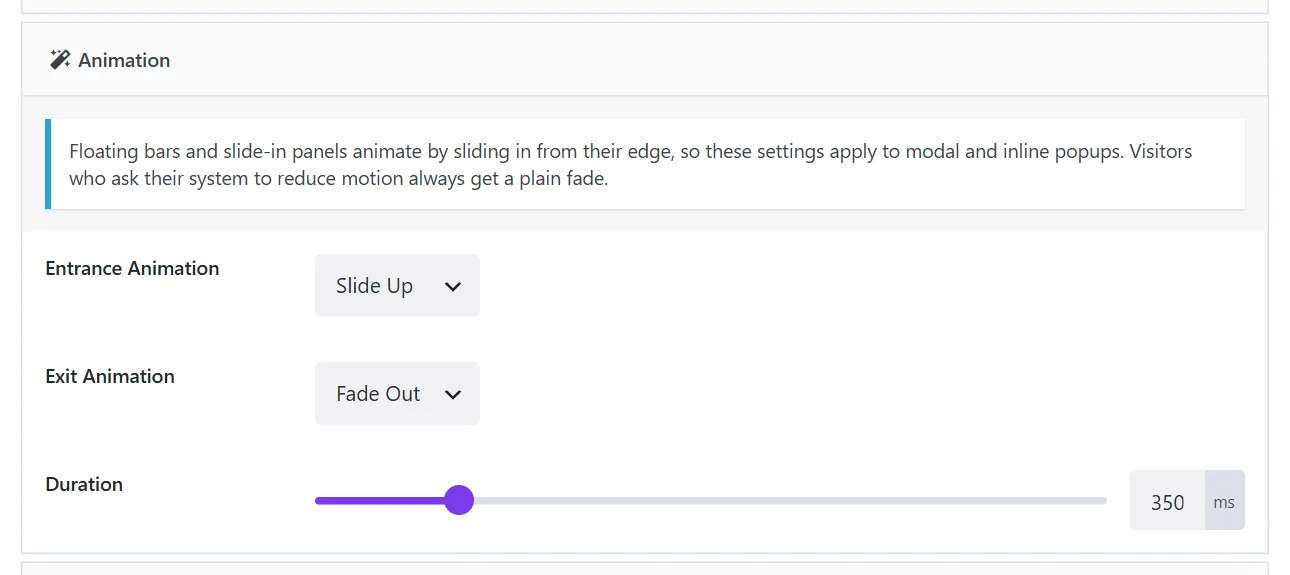
The settings#
| Field | Choices |
|---|---|
| Entrance Animation | None, Fade In, Zoom In, Slide Up, Slide Down, Slide Left, Slide Right, Bounce In, Flip In |
| Exit Animation | None, Fade Out, Zoom Out, Slide Up, Slide Down, Slide Left, Slide Right |
| Duration | The length of the movement in milliseconds. 350 by default. |
Both animations default to a fade.
Which popups animate#
These settings apply to modal and inline popups. Floating bars and slide-in panels already move: they slide in from their edge, and that is their animation.
Choosing well#
- Keep it short. 250 to 400 ms feels responsive. Above 600 ms a popup feels slow, and visitors wait for it on every open.
- Match the tone. Fade In and Zoom In are neutral and fit almost any site. Bounce In and Flip In are playful; they suit a game or a sale, not a cookie notice.
- Pair entrance and exit. A popup that slides up should slide back down: Slide Up with Slide Down, Zoom In with Zoom Out.
Reduced motion#
Some visitors ask their system to reduce motion, often because movement on screen makes them unwell. For them Wing Popup always uses a plain fade, whatever you chose. You do not need to do anything for this.
Without Pro#
In the free plugin a popup opens and closes with a fade. Popups from the Popup Library look the same as their previews; only a preset's own entrance animation needs Pro.
Did this not answer your question?
Send us what you are trying to do and we will help, and improve this page.