


Audience targeting Pro
Show a popup only to certain visitors, by login state and role, cart contents, visit history, device, country, browser, operating system, URL parameters or referrer.
Audience targeting decides who may see a popup. The rules are grouped in panels at the bottom of a popup's Display Options tab. Open a panel, set its rules and save. Panels you leave untouched place no restriction.
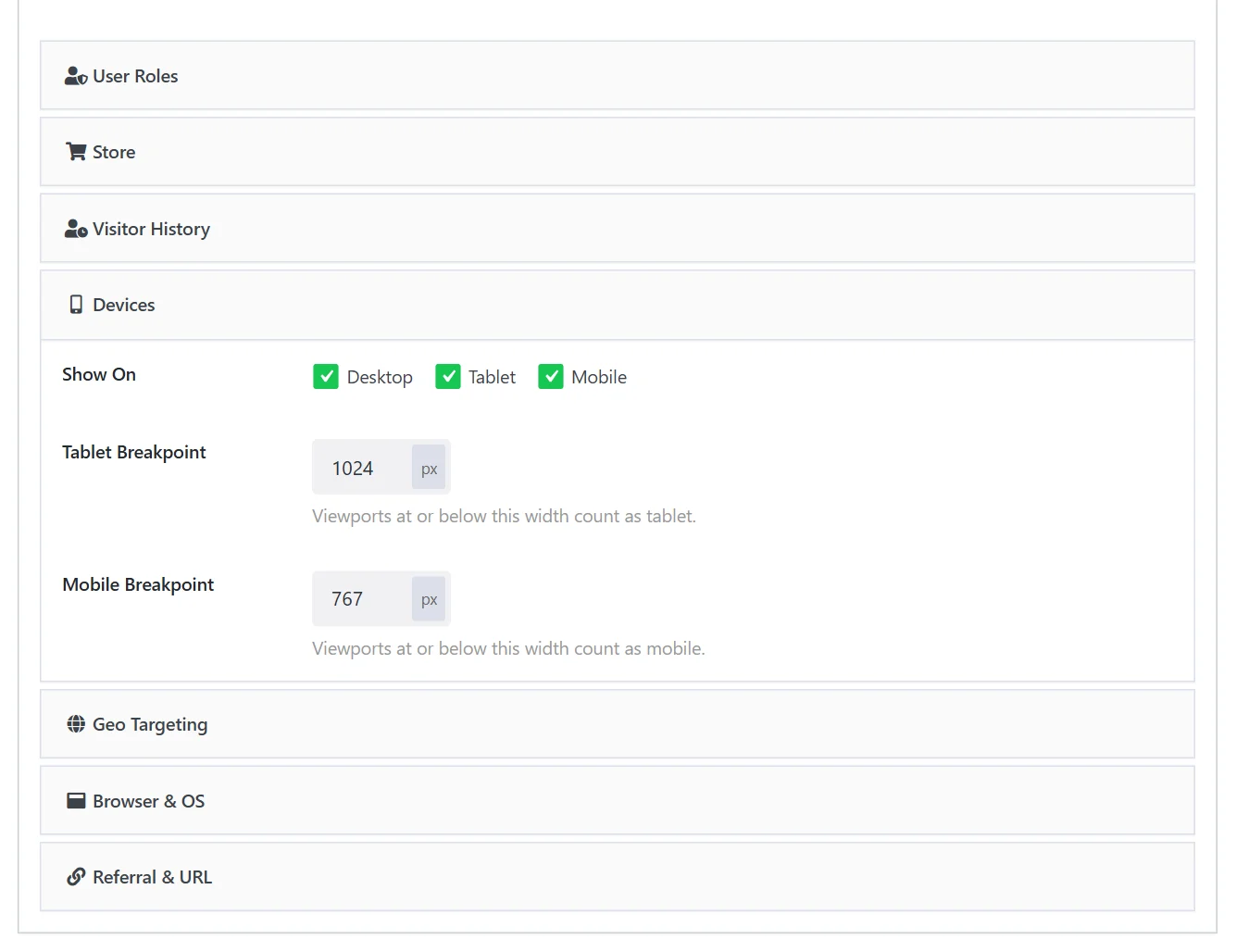
A popup is shown only when all the rules you set agree. Rules from different panels are combined with and.
User Roles#
| Field | What it does |
|---|---|
| Login State | Anyone, Logged In Only or Guests Only. |
| Restrict to Specific Roles | With Logged In Only: limit the popup to certain roles. |
| Allowed Roles | Tick the roles: Subscriber, Customer, Editor and any other role on your site. |
Examples: a login or signup popup for Guests Only; a members' announcement for Logged In Only with the role Subscriber.
Store#
Rules about the shopping cart and the customer, for WooCommerce and Easy Digital Downloads.
| Field | What it does |
|---|---|
| Cart | Any, Empty or Has something in it. |
| Cart Total Is At Least | In your shop currency. 0 switches the rule off. |
| And At Most | An upper limit, useful for "spend a little more for free shipping" offers. 0 means no limit. |
| Cart Contains Any Of | Show only when one of the chosen products is in the cart. |
| Cart Contains Any Category | The same for product categories. |
| Only On These Pages | Product pages, Cart, Checkout. Leave all unticked for no restriction. |
| Purchase History | Anyone, Has ordered before or Never ordered. Known only for signed-in customers; a logged-out visitor counts as never having ordered. |
Cart rules are judged in the visitor's browser, because carts differ for every visitor looking at the same cached page.
Visitor History#
| Field | What it does |
|---|---|
| Show To | Everyone, First-time visitors or Returning visitors. |
| Only After | Wait until the visitor has viewed this many pages across all their visits. 0 switches the rule off. |
| Only After Their First Visit Was | Days since the first visit. Useful for win-back messages. 0 switches the rule off. |
History is kept in the visitor's own browser. Someone who clears their browser data or uses a private window looks new again.
Devices#
| Field | What it does |
|---|---|
| Show On | Desktop, Tablet, Mobile. Tick the devices on which the popup may appear. |
| Tablet Breakpoint | Screens at or below this width count as tablets. 1024 px by default. |
| Mobile Breakpoint | Screens at or below this width count as phones. 767 px by default. |
A common setup is two versions of one offer: a large popup with Desktop ticked and a slim bar with Mobile ticked.
Geo Targeting#
| Field | What it does |
|---|---|
| Enable Geo Targeting | Switches the panel on. |
| Mode | Include shows the popup only in the listed places; Exclude shows it everywhere else. |
| Countries | Pick one or more countries. |
| States / Regions, Cities | Comma-separated names, for example California, Texas. |
Geo targeting needs a location source. Wing Popup Pro reads the country headers that Cloudflare and similar CDNs add to each request. Behind such a service, country rules work with no setup. Region and city rules need a source that supplies them; developers can plug one in with the wdpop_pro_geo_data filter.
Browser & OS#
| Field | What it does |
|---|---|
| Enable Browser Targeting / Browsers | Chrome, Firefox, Safari, Edge, Opera, Other. |
| Enable OS Targeting / Operating Systems | Windows, macOS, Linux, Android, iOS, Other. |
Example: an Install our iPhone app popup for iOS only.
Referral & URL#
| Field | What it does |
|---|---|
| Require URL Query Parameter | Show the popup only when the page address carries certain parameters. |
| Query Parameters | One or more pairs of key and value, for example utm_source = newsletter. Leave the value empty to match any value. Every listed parameter must be present. |
| Enable Referral Source Targeting | Show or hide the popup depending on the site the visitor came from. |
| Mode | Include or Exclude. |
| Referrer Domains | One domain per line, for example google.com. A domain matches when it is part of the referring host. |
Examples: greet visitors from a partner site with their discount; show a campaign popup only to people who clicked your newsletter link (utm_campaign = spring).
Good to know#
- Inline popups sit in the page's own flow, so the rules that need a per-visitor check after loading (user role and geo) are not applied to them. Use a modal, bar or slide-in for those rules.
- Caching. Role and geo rules are answered by a small uncached request after the page loads; the other rules are checked in the browser. All of them work on cached pages.
- Targeting and analytics. A popup held back by a rule is not counted as a view.
Did this not answer your question?
Send us what you are trying to do and we will help, and improve this page.