


Spin to Win and Pick a Gift Pro
Run a prize wheel or a gift-box game in a popup, set the prizes and their odds, and collect an email before playing.
Two popup types turn an offer into a small game. Spin to Win shows a prize wheel; Pick a Gift shows closed gift boxes. Both use the same kind of prize list, can ask for an email address before playing, and limit how often one visitor may play.
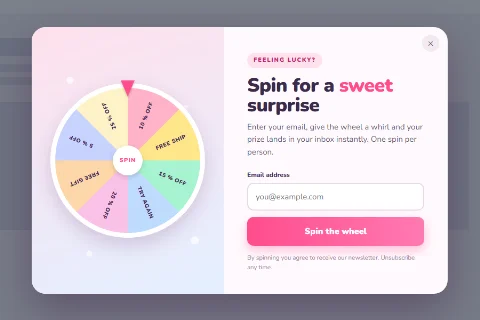
Spin to Win#
- Edit a popup and set Popup Type to Spin to Win.
- Write a Heading and Content.
- Enter your Prizes and the other settings below.
- Click Save.
The prize list#
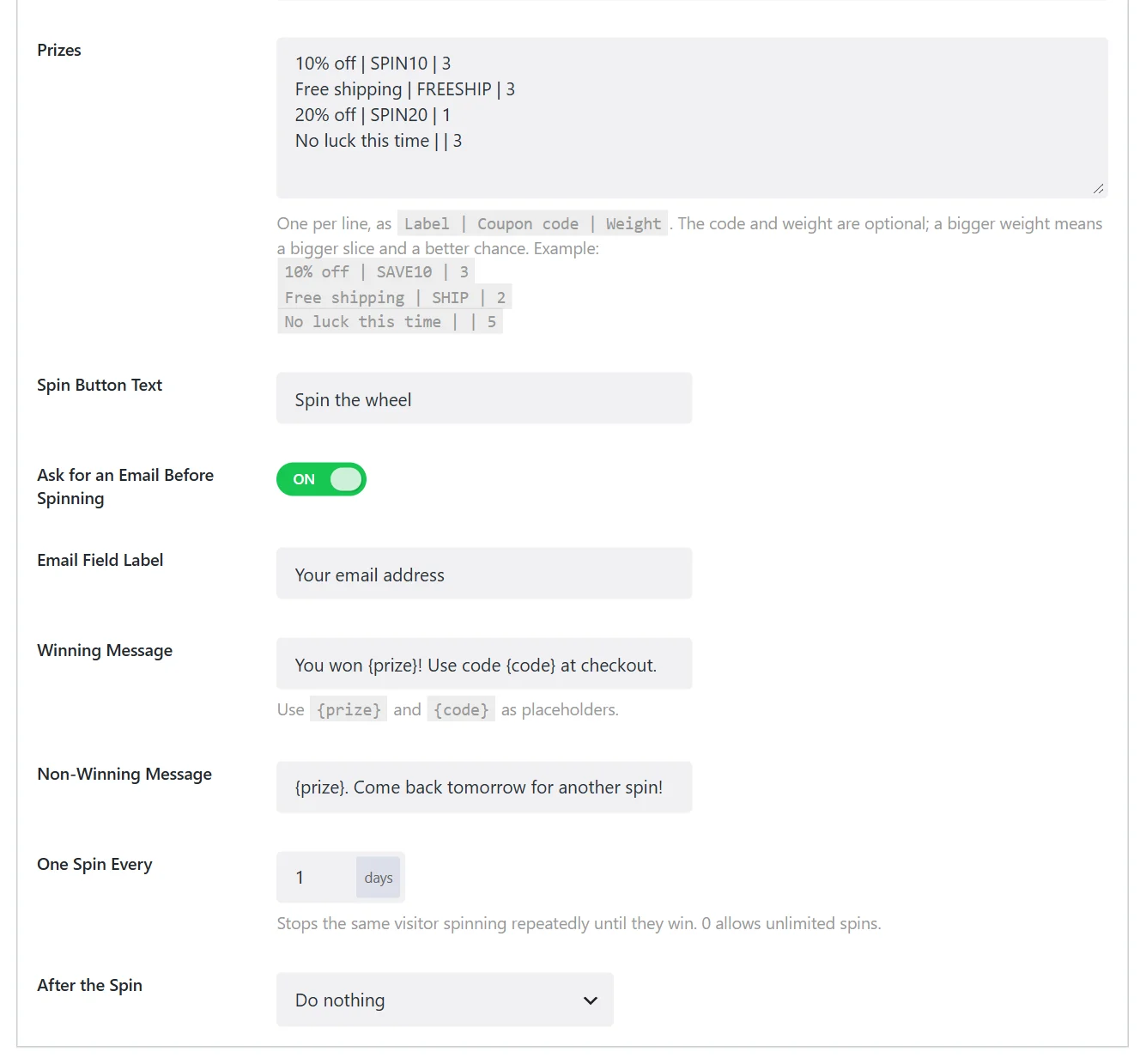
Enter one prize per line in Prizes, in the form Label | Coupon code | Weight:
10% off | SAVE10 | 3
Free shipping | FREESHIP | 2
20% off | SAVE20 | 1
No luck this time | | 4- Label is what the wheel slice says.
- Coupon code is optional. A line without a code is a non-winning slice.
- Weight is optional. A bigger weight means a bigger slice and a better chance. In the example, No luck this time comes up 4 times in 10, 20% off once in 10.
Create every code in your shop first; Wing Popup only shows it.
The other fields#
| Field | What it does |
|---|---|
| Spin Button Text | The button's label. |
| Ask for an Email Before Spinning | Requires an email address before the wheel can be spun. On by default. |
| Email Field Label | The label of that field. |
| Winning Message | Shown after a win. Use {prize} and {code} as placeholders, for example You won {prize}! Use code {code} at checkout. |
| Non-Winning Message | Shown after a line without a code. {prize} is the slice's label. |
| One Spin Every | Days before the same visitor may spin again. 0 allows unlimited spins. |
| After the Spin | Do nothing, close the popup, redirect to a URL, or fire a custom event. |
Pick a Gift#
Pick a Gift shows a row of gift boxes. The visitor picks one and it opens to show the prize.
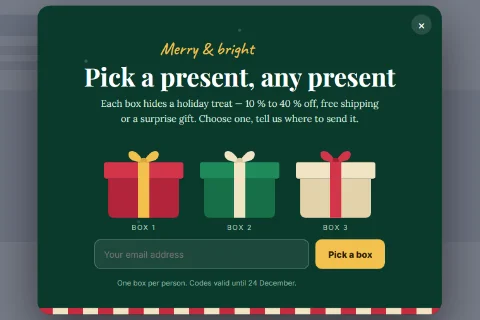
The settings match Spin to Win, with one addition:
| Field | What it does |
|---|---|
| Prizes | The same prize list, one Label | Coupon code | Weight per line. |
| How Many Boxes | The number of boxes shown. 3 by default. |
| Ask For An Email Before Playing, Email Field Label | As for the wheel. |
| Winning Message, Non-Winning Message | As for the wheel. |
| One Go Every | Days before the same visitor may play again. |
| After Playing | As After the Spin. |
The prize is decided by the weights, not by which box the visitor picks. That is how every game of this kind works, and it means every prize on the list should be one you are happy to give.
What happens to the email address#
The email field is a gate: the visitor must enter a valid address before playing. Wing Popup does not store that address or send it to a mailing list by itself. Instead the game announces its result as a JavaScript event on the document, which your own script or a tag manager can pick up:
| Event | When | event.detail |
|---|---|---|
wdpop_spin_result |
After a spin | popupId, email, prize, code |
wdpop_gift_result |
After a box is opened | popupId, email, prize, code |
document.addEventListener('wdpop_spin_result', function (e) {
  // e.detail.email, e.detail.prize, e.detail.code
});
If the goal is to grow a mailing list, a Form popup that reveals a coupon after signup sends every address straight to your email service.
Tips#
- Be generous with small prizes. A wheel where most slices lose feels rigged. Free shipping and small discounts make good common prizes.
- Limit replays. Keep One Spin Every at several days, or visitors will spin until they hit the biggest prize.
- Say what happens to the email. If you collect the addresses through the event above and plan to email players, say so in the popup's content.
Did this not answer your question?
Send us what you are trying to do and we will help, and improve this page.