


General settings
The plugin-wide settings: switching Forms and Templates on or off, the Popup Type picker, spam protection and data removal.
Wing Popup → Settings holds what applies to the whole plugin rather than to one popup. It has three sections: General, Analytics and A/B Tests. This page covers General; the other two have their own guides, Analytics and A/B testing.
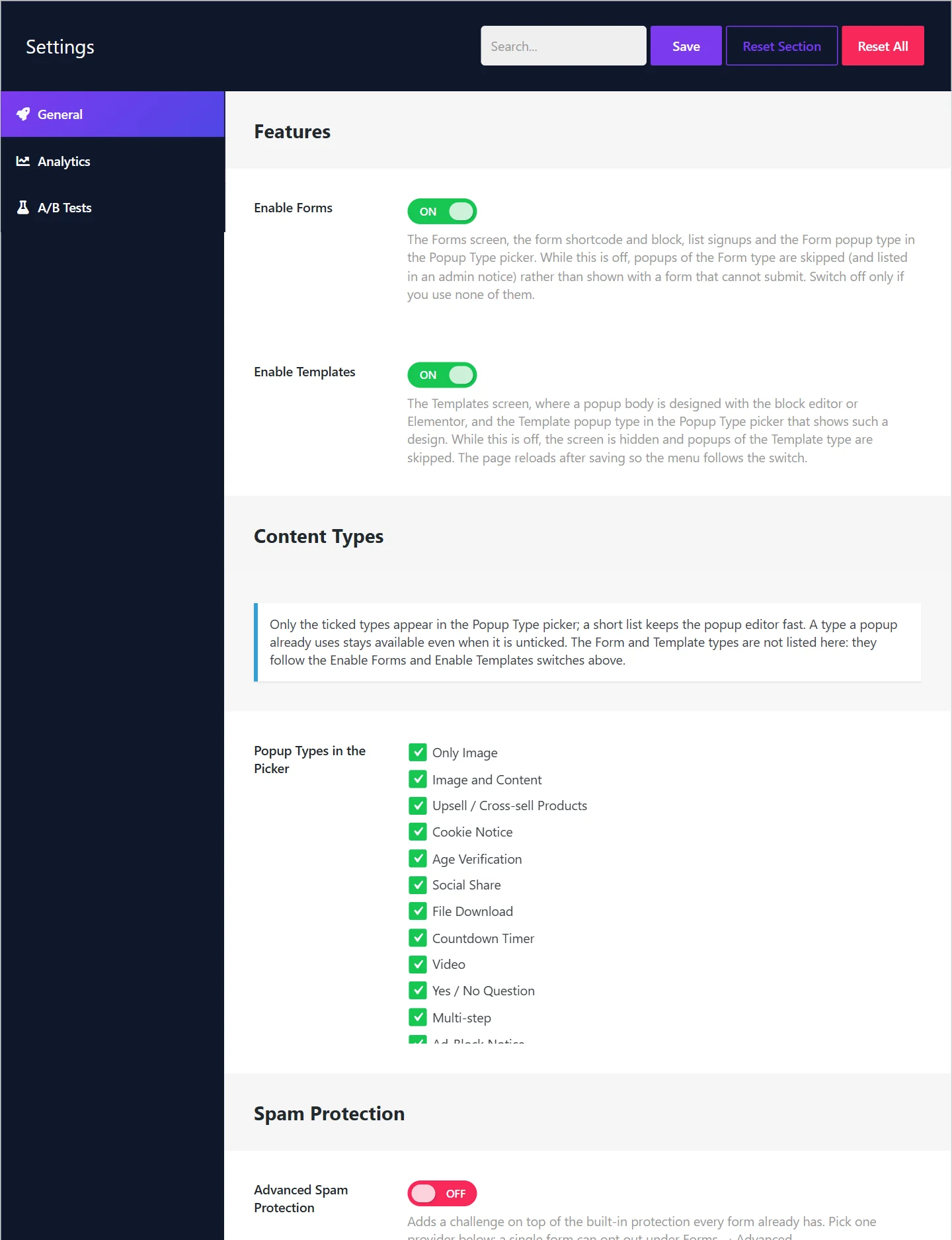
Changes here are stored when you click Save at the top right.
Features#
Two switches turn whole parts of the plugin on or off. Both are on by default.
| Switch | What it controls |
|---|---|
| Enable Forms | The Forms screen, the form shortcode and block, list signups and the Form popup type. |
| Enable Templates | The Templates screen and the Template popup type. |
Switch a feature off only if you use none of it; the menu gets shorter and the popup editor lighter. While a feature is off, popups that depend on it are skipped and listed in the notice on the Popups screen, rather than shown half-working. The page reloads after saving so the menu follows the switches.
Content Types#
Popup Types in the Picker lists the popup types. Only ticked types appear in a popup's Popup Type menu.
- Untick the types you never use to keep the menu short and the editor fast.
- A type that a popup already uses stays available even when it is unticked.
- Form and Template are not in this list. They follow the two switches above.
See Popup types.
Spam Protection#
Every form is protected without any setting. This section adds an optional challenge on top and tells the plugin about proxies.
| Field | What it does |
|---|---|
| Advanced Spam Protection | Adds a challenge, ALTCHA or Cloudflare Turnstile, to every form. Off by default. |
| Challenge Provider and its options | Shown once the switch is on. |
| Trusted Proxies | Addresses of a proxy or load balancer in front of your site, so visitors are counted separately. Leave empty on most hosts. |
All of it is explained in Spam protection.
Data#
| Switch | What it does |
|---|---|
| Delete All Data on Uninstall | When on, deleting the plugin also removes every popup, form and setting. Off by default. |
Leave it off to keep your data if you reinstall later. Deactivating the plugin never deletes anything, with either setting. Templates you designed are kept even when this switch is on, because they are content of yours like pages and posts.
The buttons at the top#
| Button | What it does |
|---|---|
| Save | Stores the settings of all sections. |
| Reset Section | Returns the section you are looking at to its defaults. |
| Reset All | Returns every section of the Settings screen to its defaults. Popups and forms are not affected. |
The search box beside them finds a setting by its name.
Did this not answer your question?
Send us what you are trying to do and we will help, and improve this page.