


Follow-up message and coupon
Replace a popup's content with a thank-you message after its main action, and reveal a coupon code with a copy button.
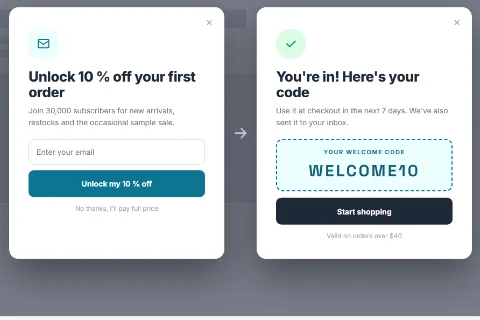
A follow-up message replaces the popup's content after the visitor has done what the popup asked: submitted the form, answered the question, or waited for the countdown to end. It can reveal a coupon code with a copy button, which makes the classic "sign up and get 10% off" popup possible with the free plugin.
Where it is available#
| Popup type | Setting that offers it |
|---|---|
| Form | After Submitting |
| Yes / No Question Pro | When They Say Yes and When They Say No |
| Countdown Timer Pro | When It Reaches Zero |
| Video Pro | When The Video Ends |
| Cookie Notice Pro | When Accepted and When Declined |
Set it up on a Form popup#
- Edit a popup of the Form type.
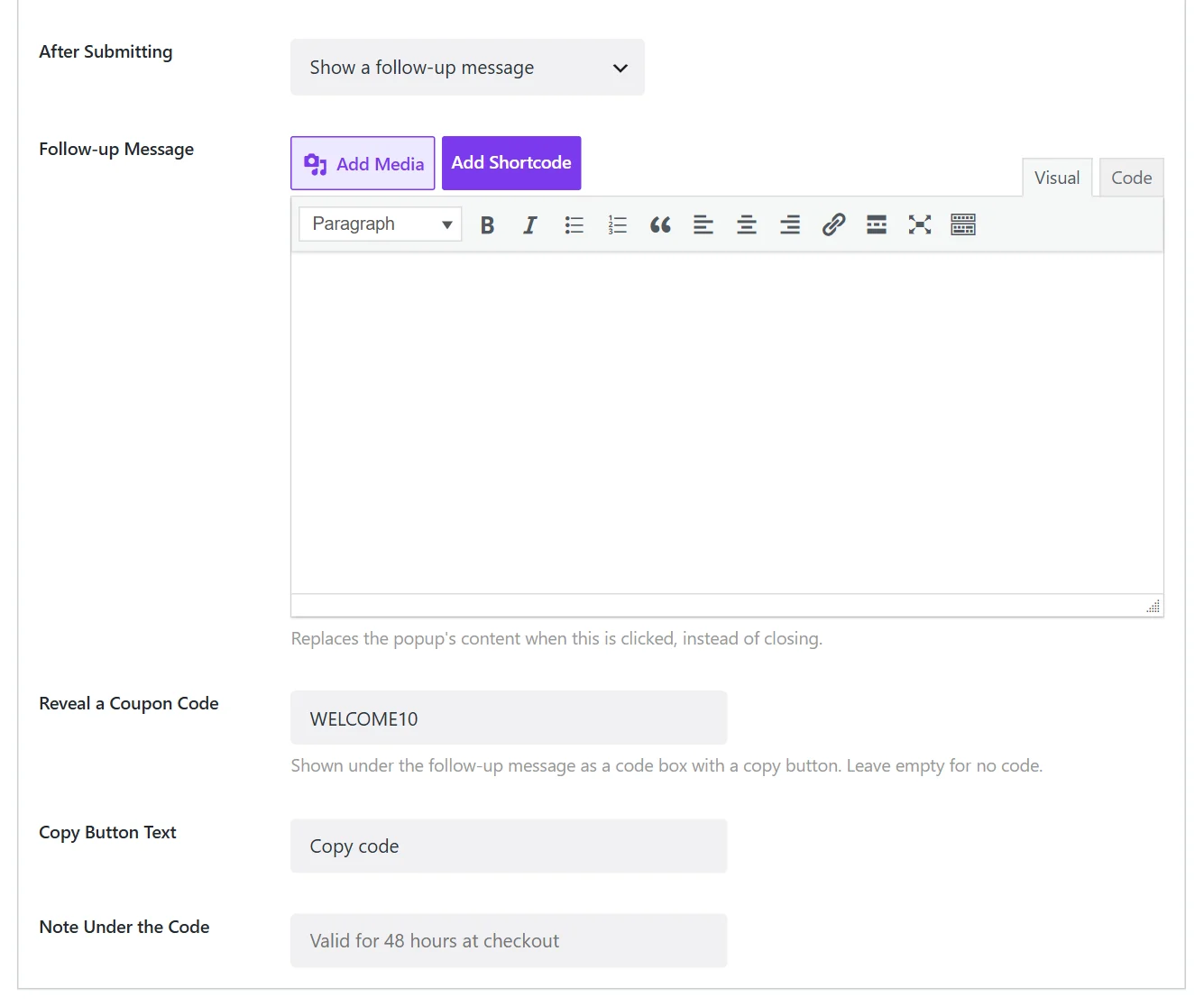
- On the Popup Content tab set After Submitting to Show a follow-up message.
- Write the message in Follow-up Message, for example You're in! Here's your code.
- Optionally fill in Reveal a Coupon Code (see below).
- Click Save.
The fields#
| Field | What it does |
|---|---|
| Follow-up Message | The text that replaces the popup's content. Formatting, links and images are supported. |
| Reveal a Coupon Code | A code shown under the message in a box with a copy button. Leave empty for no code. |
| Copy Button Text | The label of the copy button. Copy code by default. |
| Note Under the Code | A small line under the code, for example Valid for 48 hours at checkout. |
A code without a message works too: the popup then shows only the code box.
Good to know#
- The code is not created for you. Wing Popup shows and copies the code; the discount itself must exist in your shop (in WooCommerce: Marketing → Coupons).
- The code is in the page source. A follow-up message is part of the page from the start and only hidden until needed. Someone who reads the page source can find the code without signing up. For most welcome discounts this does not matter; do not use it for codes that must stay secret.
- Frequency. Visitors who close the popup after the follow-up are covered by the normal frequency rules, so they are not asked to sign up again straight away.
- The form's own success message is not shown when a follow-up message takes over.
Related#
- A popup whose main content is a code: Coupon popup Pro
- Prize codes from a game: Spin to Win and Pick a Gift Pro
Did this not answer your question?
Send us what you are trying to do and we will help, and improve this page.