


Pro triggers Pro
Open a popup on scroll, hover, inactivity, exit intent, after a number of page visits, when a video finishes or on a custom JavaScript event.
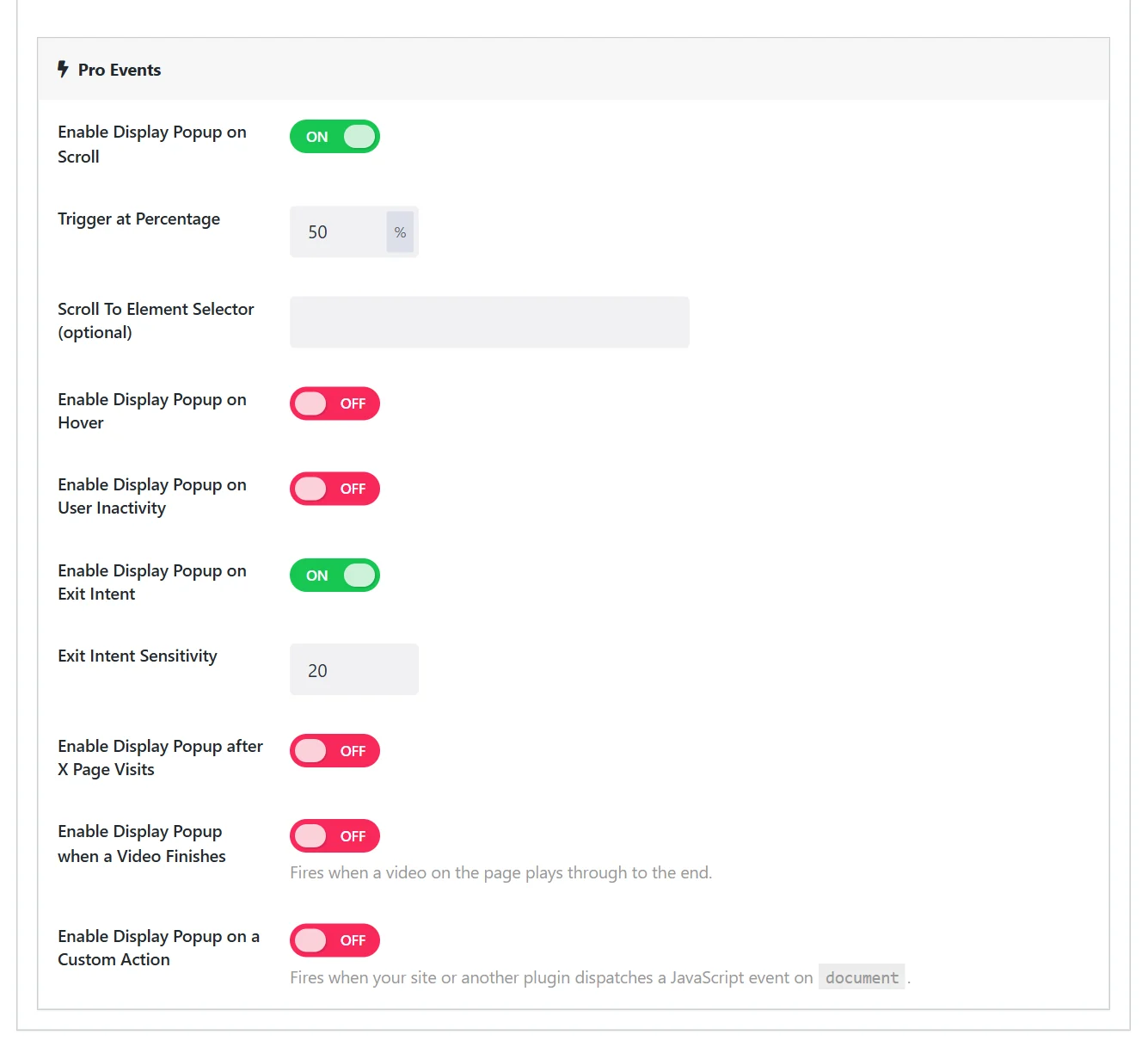
Wing Popup Pro adds seven triggers to the two free ones. They are under Pro Events on a popup's Trigger Events tab. Switch on the ones you want; a popup may combine several, and whichever fires first opens it.
Scroll#
Opens the popup when the visitor has scrolled a given distance, or reached a given element.
| Field | What it does |
|---|---|
| Enable Display Popup on Scroll | Switches the trigger on. |
| Trigger at Percentage | How far down the page, in percent. 50 by default. |
| Scroll To Element Selector (optional) | A CSS selector. When set, the popup opens as that element scrolls into view, for example #comments or .pricing-table. |
Scroll is a good signal of interest: someone halfway down an article is reading it.
Hover#
Opens the popup when the pointer rests on an element.
| Field | What it does |
|---|---|
| Enable Display Popup on Hover | Switches the trigger on. |
| Element Selector for Hover | The CSS selector of the element. |
| Hover Delay (seconds) | How long the pointer must stay. 0 opens at once. |
Touch screens have no hover. Add an On Click trigger with the same selector so phones can open the popup too.
User inactivity#
Opens the popup when the visitor has done nothing for a while: no mouse movement, key press, scroll or touch.
| Field | What it does |
|---|---|
| Enable Display Popup on User Inactivity | Switches the trigger on. |
| Inactivity Timeout (seconds) | 30 by default. |
Exit intent#
Opens the popup when the pointer leaves the page through the top edge, towards the tabs and the address bar. It is the classic "before you go" trigger.
| Field | What it does |
|---|---|
| Enable Display Popup on Exit Intent | Switches the trigger on. |
| Exit Intent Sensitivity | How close to the top edge the pointer must be, in pixels. 20 by default. A larger value fires earlier. |
Exit intent follows the mouse, so it works on desktops and laptops. Phones and tablets have no pointer to follow; for them, combine it with a scroll or inactivity trigger on the same popup.
Page visits#
Opens the popup once the visitor has viewed a number of pages on your site.
| Field | What it does |
|---|---|
| Enable Display Popup after X Page Visits | Switches the trigger on. |
| Page Visits Count | 3 by default. |
Someone on their third page is interested. That is a better moment for a signup offer than the first second of the first visit.
Video finishes#
Opens the popup when a video on the page has played to the end.
| Field | What it does |
|---|---|
| Enable Display Popup when a Video Finishes | Switches the trigger on. |
| Video Element Selector | A CSS selector for the video. Leave empty to watch every HTML5 video on the page. |
| Consider Finished At | Percent played. 95 by default, so the popup arrives while the viewer is still watching; 100 waits for the very end. |
This works with HTML5 <video> elements, that is, self-hosted video. Embedded players such as YouTube do not report when they finish.
Custom action#
Opens the popup when your site, or another plugin, dispatches a JavaScript event on the document.
| Field | What it does |
|---|---|
| Enable Display Popup on a Custom Action | Switches the trigger on. |
| Event Name | The name of the event, for example my_registration_complete. |
Fire it from your own code:
document.dispatchEvent(new CustomEvent('my_registration_complete'));Use it to connect a popup to anything: a finished quiz, a filled-in calculator, a step in a booking widget.
Triggers and frequency#
Every trigger shares one set of frequency counters. A popup that was shown by the scroll trigger is in its cooldown for the exit intent trigger too. See Frequency and suppression.
Did this not answer your question?
Send us what you are trying to do and we will help, and improve this page.