


More popup types Pro
Social Share, File Download, Google Map, Notification Opt-in, Ad-Block Notice and forms from Contact Form 7 or WPForms.
This page covers the remaining Pro popup types. Each is set up like any popup: choose the type on the Popup Content tab, fill in the shared fields (image, heading, content, buttons) and then the type's own fields described here.
Social Share#
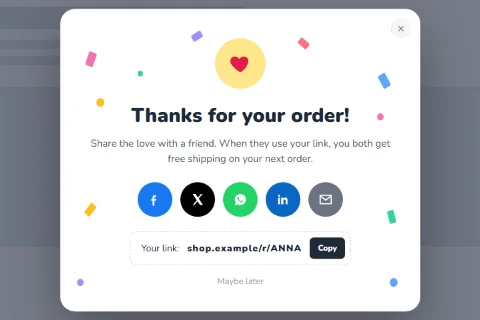
Share buttons for the page the visitor is on, or for a URL you choose.
| Field | What it does |
|---|---|
| Networks | Facebook, X / Twitter, LinkedIn, WhatsApp, Reddit, Pinterest, Email. Tick the ones to show. |
| What Gets Shared | The page they are on or A specific URL. |
| URL to Share | The address shared when a specific URL is chosen. |
The buttons are plain links to each network's share page. No network script is loaded and nothing is tracked until the visitor clicks.
File Download#
A lead magnet or a simple download: a guide, a checklist, a price list.
| Field | What it does |
|---|---|
| File | The file to download, uploaded to or chosen from your media library. |
| Download Button Text | Download by default. |
| After Downloading | Close the popup, redirect, fire a custom event, or do nothing. |
To ask for an email address before the download, use a Form popup and put the download link in its follow-up message.
Google Map#
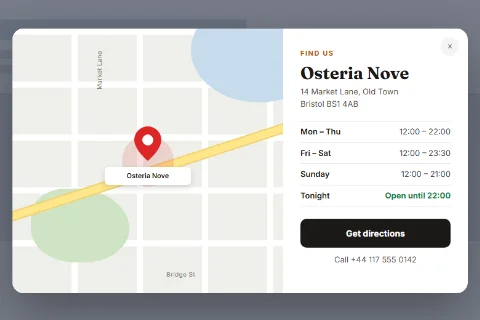
A map of your shop, restaurant or venue with your text beside it.
| Field | What it does |
|---|---|
| Place or Address | Anything you would type into Google Maps: an address, a business name or coordinates. |
| Zoom | 14 by default. Higher is closer. |
| Height | The map's height in pixels. 320 by default. |
No API key is needed. The map is loaded only when the popup opens. Google sets cookies when it does, so if you show a cookie notice, ask before showing this popup.
Notification Opt-in#
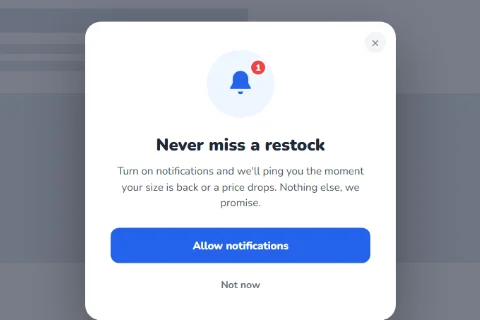
Asks visitors to allow browser notifications, which you can then send from Wing Popup → Notifications. See Push notifications.
| Field | What it does |
|---|---|
| Accept Button Text | Yes, notify me by default. |
| Decline Button Text | Not now by default. Leave empty to show only the accept button. |
| If They Decline, Wait | Days before asking again. 30 by default. |
| Confirmation Message | Shown after a successful subscription. |
Ad-Block Notice#
A polite message for visitors whose browser blocks ads.
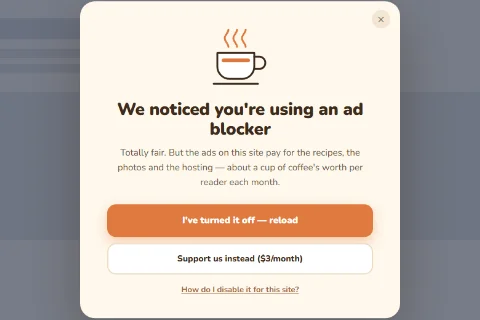
The popup opens only when an ad blocker is detected. Its content is the shared fields: a heading, your message, a call-to-action button (for example I've turned it off, reload) and a dismiss button.
Detection is a best guess. It spots most blockers, misses some, and can be defeated on purpose. Treat the notice as an ask, not a paywall.
Contact Form 7 / WPForms#
Shows a form built with Contact Form 7 or WPForms inside a popup. The type is offered while one of those plugins is active.
| Field | What it does |
|---|---|
| Form Plugin | Contact Form 7 or WPForms, whichever is active. |
| Contact Form 7 Form / WPForms Form | The form to show. |
| Close the Popup After Submitting | Closes the popup once the form plugin confirms a successful submission. A validation error leaves it open. |
| Close After | Seconds to wait before closing, so the visitor can read the form's thank-you message. 3 by default. |
Submissions are handled entirely by the form plugin: its notifications, storage and spam protection apply. For Wing Popup's own forms, see Forms overview.
Did this not answer your question?
Send us what you are trying to do and we will help, and improve this page.