


Form submissions Pro
Keep a copy of every form submission in WordPress, search and filter it, export it as CSV and control how long it is kept.
By default Wing Popup does not keep what visitors submit: a contact message is emailed to you, a signup goes to your email service. With Pro you can also store every submission in WordPress, as a record you can search and export, and as a safety net if an email is lost.
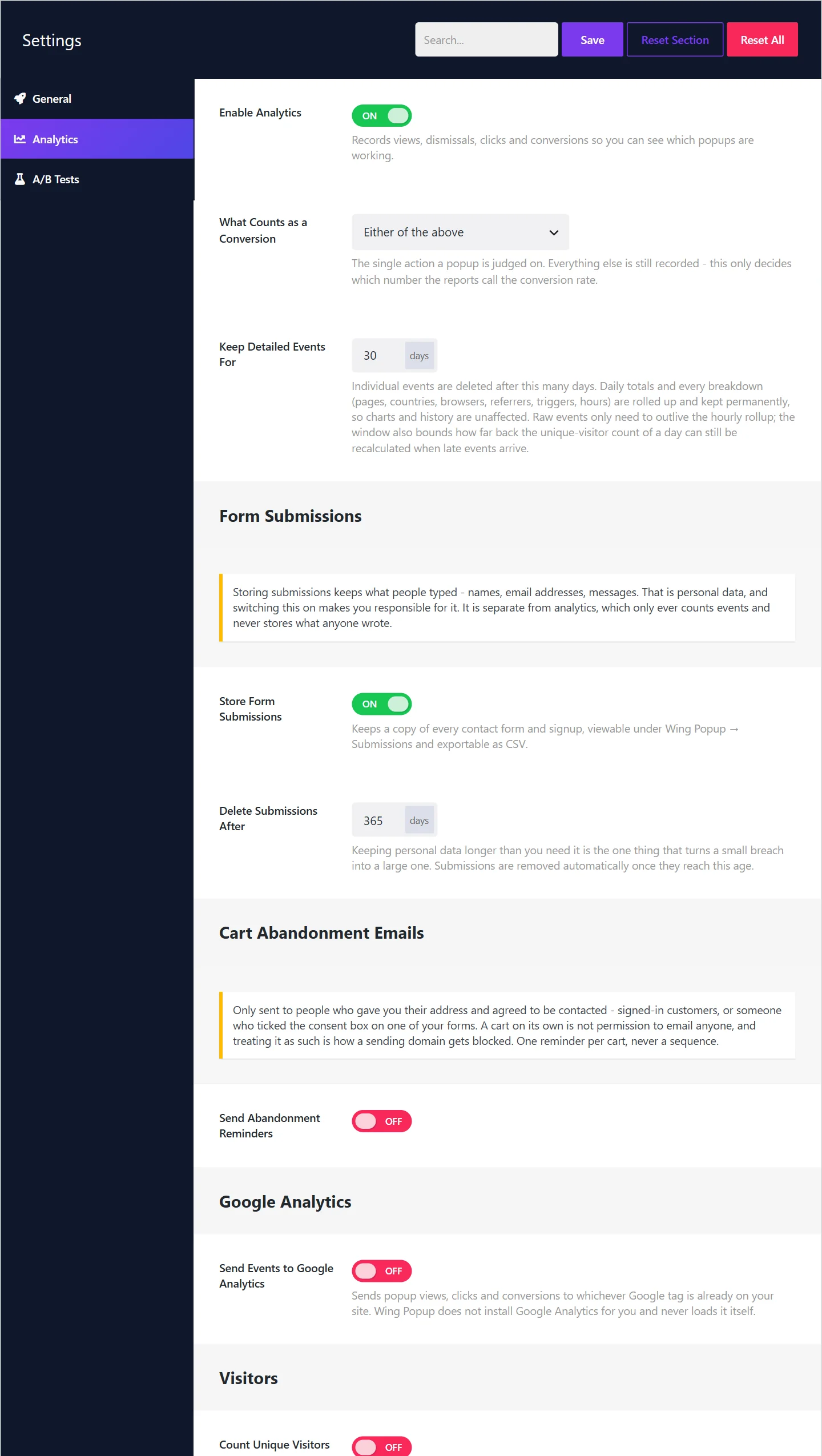
Switch storing on#
Storing is off until you switch it on, because submissions are personal data.
- Go to Wing Popup → Settings → Analytics.
- Under Form Submissions, switch on Store Form Submissions.
- Set Delete Submissions After (days). 365 by default.
- Click Save.
Each contact form also has its own switch: After Submit → Keep a Copy Under Submissions, on by default. Switch it off for a form whose messages should not be stored. A submission is stored only when both the global switch and the form's switch are on.
The Submissions screen#
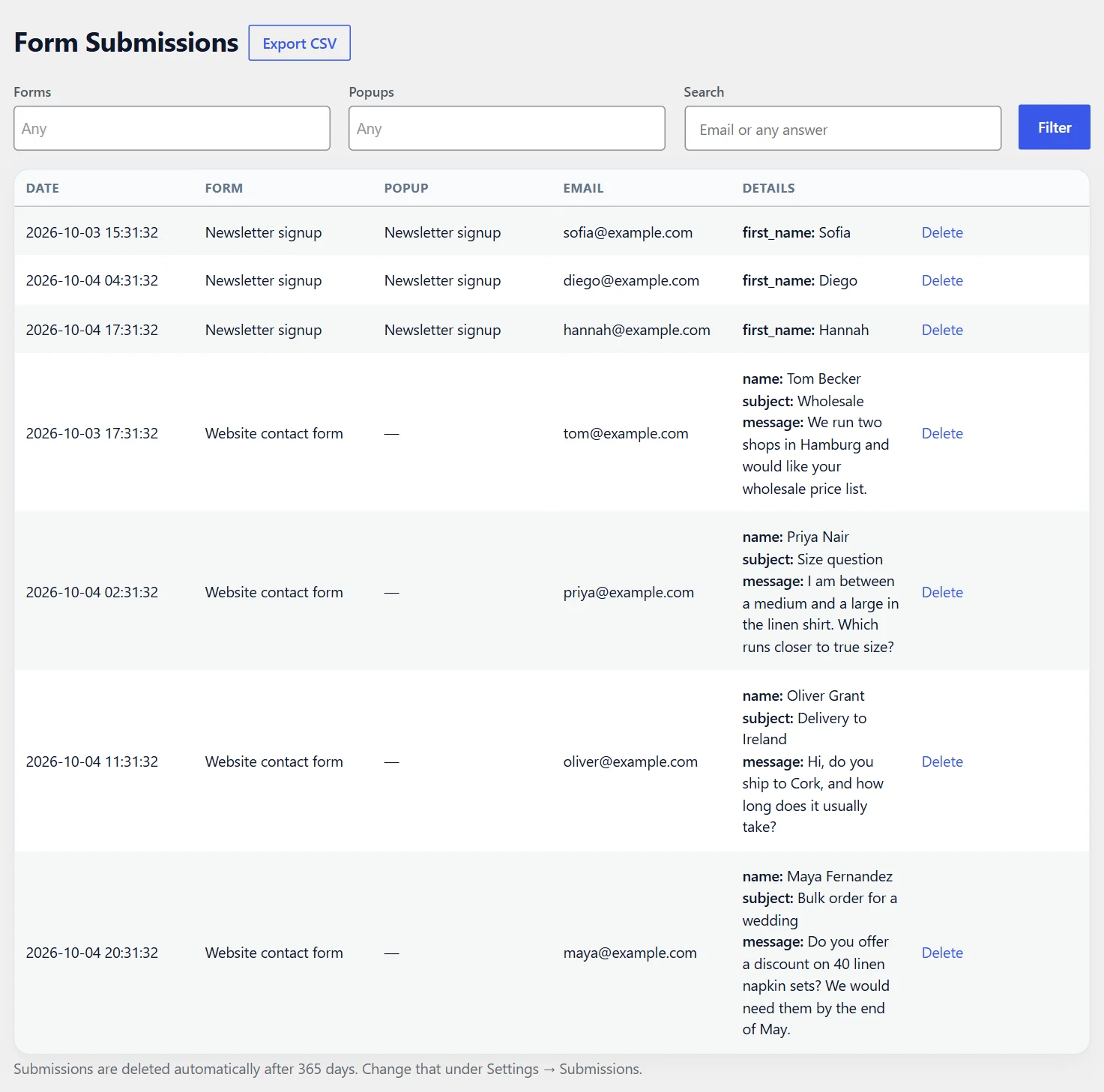
Wing Popup → Submissions lists what was stored, newest first.
| Column | What it shows |
|---|---|
| Date | When it was submitted |
| Form | The form it came from |
| Popup | The popup it was submitted in, or a dash for a form in a page |
| The sender's address | |
| Details | Every submitted field, custom fields under their labels |
Filter and search#
- Forms and Popups limit the list to one or several forms or popups.
- Search looks through the email addresses and the answers.
- Click Filter to apply.
Export#
Export CSV downloads exactly what the list shows, all pages of it, with your current filters applied. Custom fields get one column per label. Open the file in Excel, Google Sheets or Numbers, or import it into a CRM.
Delete#
Delete removes a single submission for good.
A message is stored before the email is sent#
A contact message is stored first and emailed second. If your server fails to send the notification, the message is still under Submissions. On a site whose email is unreliable, this alone can justify switching storing on.
Privacy#
Stored submissions hold names, email addresses and messages. Switching storing on makes you responsible for them.
- Retention. Submissions older than Delete Submissions After are removed automatically. Keep the period as short as your work allows.
- Requests from individuals. Submissions are included in the WordPress privacy tools, Tools → Export Personal Data and Tools → Erase Personal Data, so a person's request can be answered from one place.
- Your privacy policy should say that form submissions are stored, and for how long.
- Uninstalling. With Delete All Data on Uninstall switched on, stored submissions are deleted with the plugin.
Analytics is separate from all this: it only counts events and never stores what anyone typed. See Analytics.
Did this not answer your question?
Send us what you are trying to do and we will help, and improve this page.