


Spam protection
The protection every Wing Popup form has without setup, the per-form limits, and the optional ALTCHA or Cloudflare Turnstile challenge.
Every Wing Popup form is protected against spam from the moment you create it. There is nothing to switch on and no account to create. An optional challenge, ALTCHA or Cloudflare Turnstile, can be added on top for sites under heavy attack. All of this is part of the free plugin.
Built-in protection#
These checks run on every submission, for every form type:
| Check | What it stops |
|---|---|
| Hidden trap field | Bots fill in every field they find, including one that people never see. |
| Signed request token | Submissions that do not come from a form your site printed. It keeps working on cached pages. |
| Interaction ticket | Submissions sent without anyone using the form. The visitor's browser fetches a ticket when they first click into the form; a script that only posts data has none. |
| Minimum time | Submissions sent faster than a person can type. |
| Attempt limits | The same visitor trying again and again. |
| Content checks | Messages that contain words from your WordPress Disallowed Comment Keys list, or too many links. |
A blocked submission gets a neutral answer and no explanation, so a spammer learns nothing from it. A real visitor is rarely affected: the checks ask nothing of them.
Per-form settings#
Each form has an Advanced tab that tunes the timing.
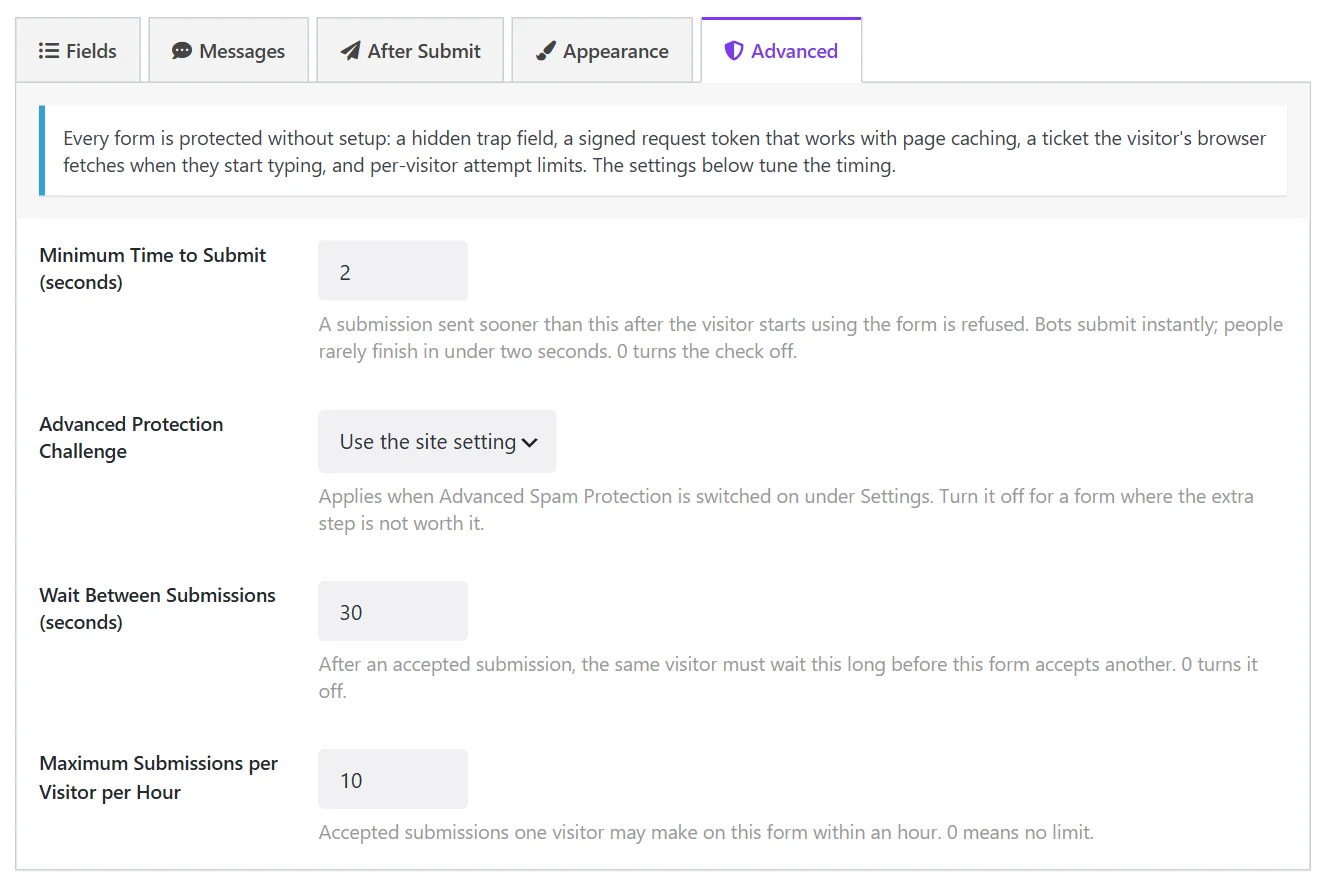
| Field | What it does | Default |
|---|---|---|
| Minimum Time to Submit (seconds) | A submission sent sooner than this after the visitor starts using the form is refused. 0 turns the check off. | 2 |
| Advanced Protection Challenge | Use the site setting or Off for this form (see below). | Use the site setting |
| Wait Between Submissions (seconds) | After an accepted submission, the same visitor must wait this long before this form accepts another. 0 turns it off. | 30 |
| Maximum Submissions per Visitor per Hour | 0 means no limit. | 10 |
The defaults suit almost every form. Raise the limits for a form that one person legitimately submits many times, such as an internal order form.
Advanced protection: a challenge#
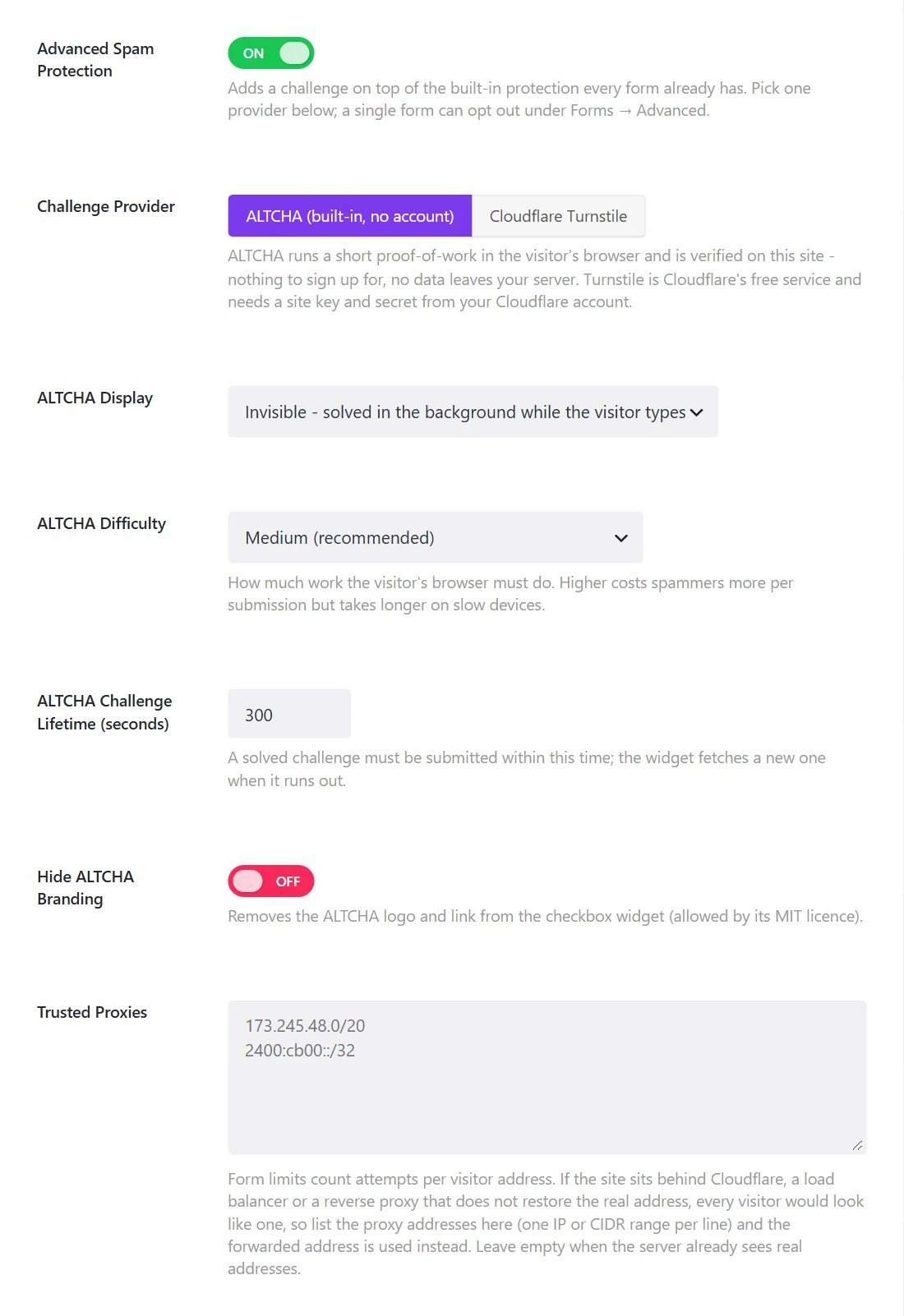
If spam still gets through, add a challenge. Go to Wing Popup → Settings → General → Spam Protection and switch on Advanced Spam Protection, then choose a provider.
ALTCHA (built-in, no account)#
ALTCHA makes the visitor's browser solve a small computing puzzle. It runs on your own site: no account, no outside service, no data leaving your server, no cookies.
| Field | What it does |
|---|---|
| ALTCHA Display | Invisible: solved in the background while the visitor types. Checkbox: a visible "I'm not a robot" box. |
| ALTCHA Difficulty | Low is fastest on old phones, Medium is recommended, High costs bots the most but is slower on weak devices. |
| ALTCHA Challenge Lifetime (seconds) | A solved challenge must be submitted within this time. 300 by default. |
| Hide ALTCHA Branding | Removes the ALTCHA logo from the checkbox. |
Invisible with Medium is a good start: visitors notice nothing, and each spam attempt costs the sender real computing time.
Cloudflare Turnstile#
Turnstile is Cloudflare's free challenge service. Your site does not need to use Cloudflare for anything else.
- At
dash.cloudflare.comopen Turnstile and click Add widget. Add your site's hostname. - Copy the Site Key and the Secret Key into the two Turnstile fields.
- Choose the Appearance (always visible, or only when the visitor must interact), the Theme and the Size.
- Click Save.
The keys are checked when you save. If Cloudflare rejects the secret key, a notice tells you at once. While the keys are wrong, forms that use Turnstile refuse submissions rather than let everything through, so do test a form after setting it up.
Switch the challenge off for one form#
A challenge applies to every form on the site. To leave one out, for example a login form used by your own team, open that form's Advanced tab and set Advanced Protection Challenge to Off for this form.
Trusted Proxies#
Attempt limits count submissions per visitor address. If your site sits behind Cloudflare, a load balancer or a reverse proxy, the server may see the proxy's address for every visitor, and everyone would share one limit.
Under Settings → General → Spam Protection → Trusted Proxies, list the proxy's addresses, one IP or CIDR range per line. Wing Popup then reads the visitor's real address from the header the proxy adds. Leave the field empty when your server already sees real visitor addresses, which is the case on most hosts.
When a real visitor is blocked#
It is rare, and usually one of these:
- They submitted within two seconds, for example with a password manager filling the form. The form asks them to try again, and the second attempt passes.
- They sent several messages in a row. The wait between submissions applies; half a minute later the form works again.
- JavaScript is disabled or blocked. The form needs it for the interaction ticket.
Did this not answer your question?
Send us what you are trying to do and we will help, and improve this page.